Uncategorized

Uncategorized

How to Create E-E-A-T-Friendly Content:

How to Create E-E-A-T-Friendly Content: A business owner publishes 40 blog posts in six months. The blog posts are clean, keyword-focused and grammatically perfect. Traffic barely moves. A competitor with half the content but with named authors, real screenshots and honest “here’s what didn’t work” notes keeps getting the clicks the links and the mentions. The difference is rarely word count. That is proof. Publishing content is no longer enough because anyone can publish. AI tools have made content cheap and readers have become sharper at spotting pages that say a lot without showing anything. Search engines and AI answer systems face the problem: which source deserves to be believed? That is where E‑E‑A‑T comes in. In this guide you will learn what it actually means (. What it does not) how each part shows up in real content and a 10‑step process you can apply to your next article. You will also get a before‑and‑after example a trust checklist and a 20‑point audit, for your existing pages. What Is E-E-A-T? E-E-A-T stands for Experience, Expertise, Authoritativeness and Trustworthiness. It is a framework that Google uses in its Search Quality Rater Guidelines. This framework helps describe the qualities of content that’s reliable and helpful. In December 2022 Google added the E” for Experience to place more emphasis on real-world experience, in content creation. Why E-E-A-T Matters for Modern SEO Let us first clear up a myth. E-E-A-T is not a score or a direct ranking factor. Google has said that quality raters do not decide rankings. Their feedback helps Google evaluate whether its ranking systems produce results. Google’s systems use signals that taken together aim to surface helpful reliable, people‑first content. So why care? Because the things E-E-A-T asks for are the things readers care about: content: Content that shows real experience tends to answer real questions better. User satisfaction: Readers who trust a page stay, read and act. Content credibility: Clear authorship and sources reduce doubt. Search visibility: Helpful credible pages earn links, mentions and repeat visits which’re the kind of signals that build visibility over time. AI search: AI answer systems need sources that’re specific, consistent and easy to verify. Experience: Show That You Have Actually Done It To show experience in content you need to prove you’ve done the work yourself—no vague claims, just proof. It’s not enough to say you researched something or followed advice. You have to show what you actually did what happened and how it changed things. Take this example: ❌ “I researched this topic.” → “Many experts suggest improving page speed.” This sounds generic. Anyone could write this in 10 minutes. It doesn’t show you did anything. ✅ “I actually tested this strategy. Here’s what happened.” → “We compressed hero images on a clients service page. Compared load time before and after using PageSpeed Insights. Here’s the screenshot.” This is different. It shows you took action. You did the test. You collected data. You used tools. You’re sharing results from your work—not someone else’s. Now here’s how to apply this across business types: **Digital marketing** of saying “We ran a Facebook ad campaign ” show it. Share your campaign setup—what audience you targeted the ad copy, the budget. Then explain what you changed in week two and why. Include a screenshot of the dashboard with client data hidden. This proves you managed the campaign not just read about it. **SEO** Don’t just say “We improved SEO for a blog post.” Tell the story. Document a content refresh: what sections you updated, the date you made the changes and then show data. Include a screenshot from Search Console showing how impressions and clicks moved before and after. If traffic grew say how much and when. This shows you did the work and saw the impact. **E-commerce** Show products in real use. Take photos of items being worn used or placed in a home. Then write about return reasons you’ve actually seen—like a jacket that runs small or a kitchen tool that’s hard to clean. List what you changed on the product page—like adding sizing details or clearer instructions. This proves you’ve worked with customers and made real improvements. **SaaS** Walk through the product. Use annotated screenshots to show where users get stuck. Point out steps—like a signup flow that requires too many emails. Include notes from your support team: “Customers keep asking about X.” Then explain what you changed and why. This shows you listened to users and acted on it. **Local businesses** Use photos from the job site—workers installing a roof cleaning a floor or serving a meal. Add local pricing context: “We charge $120 for a kitchen remodel, which’s 15% lower than the average in the area.” Share customer questions, from phone calls or WhatsApp messages: “They asked if we do weekend service.” Then explain how you added that option. This shows you’re on the ground solving problems. The key is to show not tell. Use your experience, your own work, your own observations. That’s how you stand out. That’s how readers trust you. Expertise: Prove You Understand the Topic How do you show expertise? It starts with being accurate. Don’t just repeat what others say. Look beyond the surface. Give reasons for the advice. Explain the “why” behind every step. Use data from trustworthy sources.. Make sure the people giving the advice are actually qualified to speak on the subject. Expertise isn’t about using words. It’s about taking something and making it clear. It’s about explaining an idea in a way that someone without a background in it can understand. That means clarity over cleverness. Here are some ways to prove you know what you’re talking about: – Be accurate: Double-check every fact, numbers and policy details. If you say a rule changed in 2021 back it up. If you mention a statistic, name where it comes from. – Give explanations: Don’t copy the top three results on Google. Instead explain it like you would to a client who’s
Uncategorized

How to Create Helpful Content in the AI Era

How to Create Helpful Content in the AI Era A years ago publishing one good article a week felt like a strong content plan. Now one person using an AI tool can write ten articles before lunch. But here’s the problem: readers can find ten articles on any topic just as fast.. Most of them say the same thing. Search results are full. Social media feeds are full. Inboxes are full. The real question, for any business is no longer “Can we publish more?” It’s “Why would someone choose to read ours?” The goal isn’t to create content. The goal is to create content that actually helps people. This guide shows you how to do that. You’ll learn what it means to write content, how to use AI without losing your own voice and how to structure your articles so they work for Google, answer engines and AI-powered search. All of this is practical. You can use it in your article. What Is Helpful Content? Helpful content is content that solves a problem for a real person. It gives information offers original insight and is clear enough that the reader can take action. Google calls this kind of content “people- content.” That means its made first to help people not to get search traffic. This should be the goal no matter what tool you use to write. Helpful content usually has these traits: Relevance: It answers the question the reader actually wants to know. Accuracy: All facts, dates and claims are. Correct. Originality: It brings something to the table not just repeats what others have said. Depth: It goes enough so the reader doesn’t need to open five more pages. Clarity: A busy person can read it quickly. Understand it without effort. Experience: It shows the writer has actually done the thing they’re writing about. Trustworthiness: Every claim is backed up. Opinions are clearly labeled as opinions. Practical value: The reader knows what to do after reading. Here’s a simple example. Imagine two articles on “how to choose a CRM for a business.” The first one lists ten popular CRMs and copies feature descriptions directly from their websites. It’s generic. Doesn’t help much. The second article starts by asking who the buyer is—like is this a team of three salespeople or a group of 40? It then explains which features matter at each size. It shares three mistakes the writer has seen during setup.. It ends with a one-page decision checklist. Both articles are, about the topic.. Only the second one helps someone make a real choice. Why Helpful Content Matters More in the AI Era AI did not change what readers want. AI changed how competition there is for readers attention. 1. Content is now abundant- Publishing used to take time, skill or a budget. Now it takes a prompt. Barriers to entry have. The average quality of what is published has dropped too. 2. Generic content is cheap to produce- If your article can be fully reproduced by typing your headline into an AI tool it has no advantage. Readers and search systems can find that information in places. 3. Differentiation matters more- When everyone can write a summary the winners are those who add something others cannot easily copy: first‑hand experience original examples, real data and clear opinions. 4. Search itself is changing- People now get answers from AI overviews, chat assistants and answer engines without clicking a link. Zero‑click experiences mean your content may be read, summarised or quoted before anyone visits your site. That makes clear well‑structured trustworthy writing important not less. 5. User expectations have risen-  Readers have seen thousands of articles. Readers notice padding, advice and repeated information much faster than before. This is why smart businesses focus on value, than volume A smaller number of useful pages usually does more for trust rankings and leads than a large library of thin ones. The 10 Principles of Helpful Content in the AI Era Here is the rewritten version of the input: 1. Start with the people who will read it. Before you begin writing think about who the writing’s for and what they hope to achieve. Saying “small business owners” is not specific enough. Instead think about “a restaurant owner who wants to get local orders but doesn’t have a big budget for ads.” That is something you can write for. 2. Know why people are looking for something. Someone who searches “how to create content” is looking for a way to do it. Someone who searches “content marketing agency” is looking to compare companies. The same topic may need pages for different reasons. 3. Fix an issue. Each article should help the reader move from a problem to a solution. If you cannot explain the problem in one sentence the article is not ready to be written. 4. Share something Ask yourself: what can we say that the top five articles do not? A way to do something, a mistake, a small test, a tool to use. One new idea in an article can make it stand out. 5. Show experience. “Rewriting 30 product pages led us to add a size guide, which helped reduce customer questions” is much better than “product pages should be detailed.” Only share what you have actually done. 6. Use reliable facts. Check every number, date and statement. If you cannot find a trusted source leave it out. 7. Make it simple to read. Short paragraphs, words, clear headings. If a reader has to read a sentence rewrite it. 8. Use AI as a helper not as a substitute. Let AI help with the tasks that take time. Keep the thinking the opinions and the checking for facts in your hands. 9. Write for people and, for machines. Start by writing for the reader. Then organize the page so search engines and answer machines can understand and use the information. 10. Keep making it better after it is out. Look at how it’s doing update old

Uncategorized

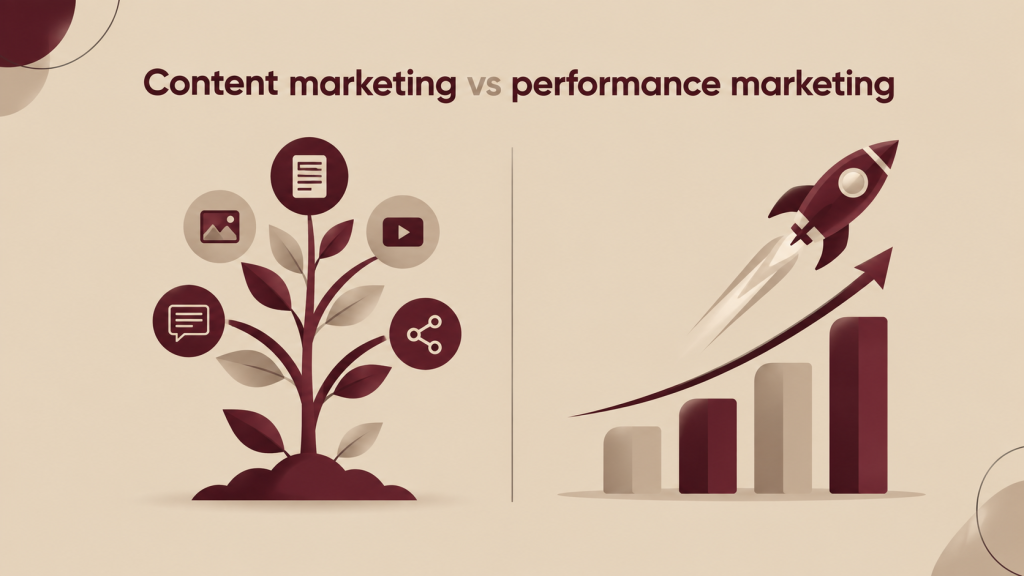
Content marketing vs performance marketing

Content marketing vs performance marketing Every business eventually faces the fork in the road. One path is to build long‑term reach with blogs, videos, guides and search rankings that keep drawing people in. The other path is to run paid advertising that puts your offer in front of customers this week and tells you how much each lead costs. So the real question behind content marketing versus performance marketing is this: should your business invest in content marketing in performance marketing or in both? In this guide you will learn what each strategy really means how they differ in cost, speed return on investment and measurement which businesses should lean on which how they work together and how to build a combined plan step, by step. No confusing words. Every technical term is explained when it first appears. I hope this guide helps you. What Is Content Marketing? Content marketing is a strategy that focuses on creating and sharing relevant content to attract and engage a specific audience. Of pushing sales messages directly this approach builds relationships by offering value. The content earns attention by answering questions solving problems and building trust—often before the buyer is even ready to talk to sales. How it works- Imagine someone searches for “how to choose accounting software for a business.” Your blog post appears in the search results offers an answer and gently shows how your product helps. The person reads it finds value and comes later. They sign up for your email list continue learning from your content and eventually reach out to ask about your solution. You didn’t pay for that click. You invested time or money to create content that keeps working over time—like an asset that keeps generating leads. Common content marketing formats  Blog posts and how-to guides  Case studies and customer stories  Videos and YouTube tutorials  Social media content  Email newsletters and email sequences  Whitepapers and e-books Webinars, templates, calculators and other educational tools Where it sits in the marketing funnel The marketing funnel shows the journey a buyer takes—from hearing about your brand to becoming a customer. Content marketing plays a role at every stage. It’s most powerful at the top and middle. At the top of the funnel content helps people recognize a problem—like “What’s wrong with my bookkeeping?” In the middle it supports decision-making—like “Which software fits my needs?” Benefits and limitations- Benefits:  It drives compounding traffic over time.  It builds brand authority and trust.  It lowers the cost, per lead in the run.  It supports customer retention by continuing to provide value after the sale. Limitations:  It’s slow. Building rankings and results takes months.  It’s hard to track exactly which content leads to a sale.  Generic or low-quality content produces no results all. So content marketing works best when you’re patient, consistent and focused on value. What Is Performance Marketing? I notice that Performance marketing is a paid results-focused method where you pay for measurable actions such, as clicks, leads, sales, app installs or calls. Every campaign is linked to a goal. Spend is judged by the results it creates. Main channels Paid search / Google Ads: your ad shows up when someone searches a keyword. Social media advertising: Meta (Facebook, Instagram) LinkedIn, YouTube. Display advertising: banner and visual ads spread across websites and apps. Retargeting: ads displayed to people who already visited your site. Affiliate marketing: partners are paid only when they bring a sale or lead. The actions and numbers that matter Performance marketing relies on actions: clicks, leads, purchases, registrations, calls and conversions (any desired action a visitor takes). Content Marketing vs Performance Marketing: Quick Comparison What Is the Difference Between Content Marketing and Performance Marketing? Content marketing builds attention slowly by sharing content that people want to read. It grows visibility naturally over time. Performance marketing gets attention quickly by using paid ads. It focuses on results, like getting leads or sales. One creates something the other pays for short-term access. 1. Short-Term vs Long-Term Results A bakery that starts a festive hamper can use Instagram and Google ads right now and begin receiving orders this week. A B2B accounting firm that writes a GST compliance guide may not see the benefit for four to six months yet that guide can continue to bring in enquiries for many years. 2. Organic vs Paid Traffic Organic traffic comes from sources such as search results and shares. Paid traffic comes from advertisements. Organic traffic costs less per visit over time. Grows more slowly. Paid traffic is instant. Stops once the budget ends. 3. Brand Building vs Direct Response Content tells people who you’re and why you know what you do. Performance ads are made to trigger an action such as a call, a purchase or a sign up. Strong brands usually do both because people are more likely to act on names they already recognize. 4. Investment Model Content requires an investment: you pay writers, designers and strategy upfront then benefit many times. Performance marketing is pay‑as‑you‑go: you keep funding the engine. Content behaves like a long‑term resource while ads behave like costs. 5. Audience Targeting Content targets by search intent, which is what the person is trying to find or solve. Paid campaigns can also target by demographics, location, interests, behavior and past site visits. A local clinic can show ads within five kilometres of its location something content alone cannot control so tightly. 6. Measurement Paid campaigns show numbers: spend, clicks, leads, cost per action. Content impact spreads across points of contact. A reader might find a blog via Google return via email and convert after a follow‑up ad. Deciding which point of contact gets credit is therefore messier for content. 7. Scalability Performance marketing scales quickly when you raise budgets until the audience becomes full or costs rise. Content scales through output, topical authority and better distribution which takes longer but has a lower ceiling on cost. 8. Customer Journey Content is strongest early, when buyers are researching.

Uncategorized

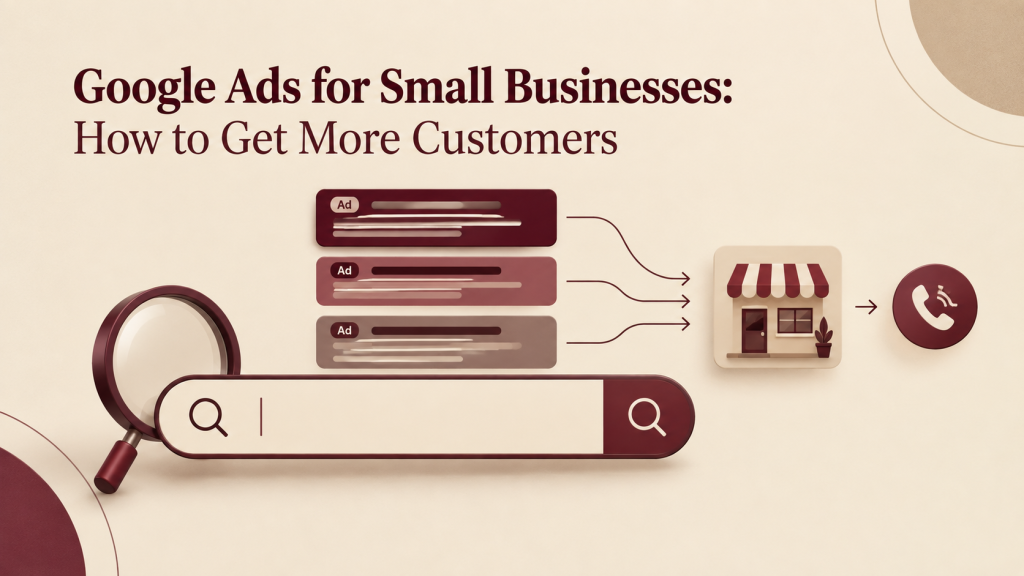
Google Ads for Small Businesses: How to Get More Customers

Google Ads for Small Businesses: How to Get More Customers A small business doesn’t need millions of people to visit its website. It needs the people at the exact moment they are looking for what the business offers. This is difficult to achieve with organic methods. Search engine optimization takes a time. The reach on media is not certain. Meanwhile someone close by is typing “emergency dentist near me” now and one of the businesss competitors is appearing for that search. This is where Google Ads for businesses can make a difference. It shows the business to people who are actively searching for the product or service. The business has control over the budget the location and the message. It is not a miracle. It can waste money if not done properly.. When set up with a clear goal it becomes one of the most trackable ways to get calls, messages, bookings or sales. In this guide you will learn how Google Ads works what it might cost, how to pick keywords create ads, design landing pages, measure results, avoid errors and decide if it is a good fit, for the business. How Does Google Ads Work? When someone does a search on Google Google finds advertisers whose words match that search. Ads that are eligible go into an auction. Google decides which ads appear and in what order based on how they are willing to pay how relevant the ad is, how well it is expected to perform and how good the landing page is. You only pay when someone clicks on the ad. The basic process is like this: Customer searches → Google finds ads that fit → An auction takes place → The ad appears → Customer clicks → The landing page shows → A conversion happens Keep in mind that you can’t just pay your way to the top. A bigger bid can help,. An ad that is more relevant and has a better landing page can beat a higher bid and get a better position for less money. That is why a small business with a plan can compete with big companies. The idea that should always be, in your mind when working on your account is this: Business goal → Search intent → Keyword → Ad → Landing page → Conversion → Measurement If any part of this chain is not strong the whole campaign will suffer. Great ads sending visitors to a page are a waste of money. A great landing page that uses the keywords won’t get any traffic. Why Should Small Businesses Use Google Ads? Google Ads suits businesses for several practical reasons: High-intent reach: people who type “AC repair in Prayagraj” usually need help right away not just scrolling social media. Visibility: you can show up on the first page without waiting months for organic rankings. Location control: target a city, a radius or specific areas. Budget control: set a budget and change it anytime. Measurability: you can see which keywords bring calls, forms or sales if tracking is set up. Flexible goals: leads, calls, store visits, bookings or online sales. When Google Ads may not be the first channel: Your website cannot take enquiries or sales if it is broken very slow or has no contact options. Nobody searches for what you sell so there is demand to capture. Your profit margin, per customer is too low to cover the cost of clicks. You cannot respond to enquiries quickly. Paying for leads you ignore is expensive. Sometimes fixing the website Google Business Profile or offer first is the move. Google Ads vs SEO: What’s Better for a Small Business? How to Choose the Right Google Ads Keywords Keywords connect your ad to the person who is searching. Picking them right is mostly about understanding search intent. What the person really wants when they type something into the search box. Informational intent means the user is looking to learn. For example someone searching “how to whiten teeth” wants information. They’re not ready to buy Commercial intent shows the user is comparing options. A search like ” dental clinic in [city]” means they are looking at different clinics and might be close to making a decision. Transactional intent is when the user is ready to act. A search like “book dentist appointment today” shows they want to do something now. For small businesses, commercial and transactional keywords usually bring in customers who are closer to buying. These people are more likely to take action. Of just using a broad term like “dentist,” which can be very competitive and expensive a local clinic might do better with more specific ones: “dentist near me” “emergency dentist in [city]” “teeth cleaning clinic in [city]” “root canal treatment cost in [city]” These kinds of keywords help attract people who are already looking for what you offer. Here are some key principles for choosing keywords: Be specific. Long-tail keywords. Those that are longer and more detailed. Reach people who are closer to making a decision. For example “affordable root canal treatment in [city]” is better than root canal.” Add location if your business serves an area. This helps you catch people nearby who are actually looking to visit. Match your keywords to the services you actually offer and want to grow. Don’t target what you don’t provide. If you don’t do teeth whitening don’t use that keyword. Use keywords. These stop your ad from showing up for searches that don’t fit. A premium interior designer might add “” “jobs,” “course,” or “DIY”, as negative keywords to avoid irrelevant clicks. Check your search terms report often. This shows you the words people used to find your ad. It helps you find opportunities and fix mistakes. Keyword choice should always fit your business and your location. Copying what a competitor uses rarely works. What works for one business might not work for another. Think about your services, your customers and your area. Then build your keyword list

Uncategorized

How to Create Your First Google Ads Campaign

How to Create Your First Google Ads Campaign A business owner opens Google Ads clicks “Create campaign ” accepts most of the suggestions sets a budget and launches within an hour. Two weeks later there are plenty of clicks and no enquiries. The money is. Google Ads gets the blame. Most of the time the platform isn’t the problem. The campaign was launched without a goal. It used keywords. It sent traffic to the homepage.. There was no conversion tracking. All of these issues can be fixed before you spend a rupee. This guide shows how to create your Google Ads campaign from start, to finish. You will learn how Google Ads works. You will learn what to prepare. You will learn how to choose a campaign type. You will learn how to set up budget and bidding. You will learn how to pick keywords and write ads. You will learn how to track results.. You will learn which beginner mistakes to avoid. No prior Google Ads knowledge is needed. What Is Google Ads? Google Ads is Googles advertising platform. Google Ads lets businesses pay to show ads on Google Search and other Google properties to people who are searching for or browsing related topics. When you look for “dentist near me ” the top results you see are often marked as “Sponsored” or “Ad.” These are Google Search Ads. This type of advertising is known as PPC or pay-per-click advertising. In cases you only pay when someone clicks on your ad not when it is simply displayed. Paid ads versus organic results Paid ads: These show up because a business has placed a bid and met Google’s quality standards. They are clearly labeled as ads. You can start seeing them immediately after setting up your campaign. Organic Results: These are earned through SEO—focusing on relevance, high-quality content and strong authority. You don’t pay for each click. It takes more time to build visibility and rank well. Businesses use Google Ads because they can appear in front of people who are actively searching for something. For example someone typing ” marketing agency in Delhi” is already looking for a service, like that. Search ads allow you to reach that person track how they respond and make changes to improve performance. Google Ads can also display your ads on YouTube, partner websites and mobile apps. The exact placement depends on the type of campaign you choose. How Does Google Ads Work? Google Ads functions using an auction system. Every time a person does a search Google checks for ads that fit the search holds an auction and picks which ads to display. The order they appear in. The person, with the bid doesn’t always win. Here is how it goes: A person uses Google to search for something. Google finds ads that match the search. Qualified advertisers take part in the auction. Google looks at each ad. Ads that meet the criteria can be shown. The person clicks on an ad. The person arrives at your website. The person does something: calls fills out a form makes a purchase or books something. What decides who shows up? It’s Ad Rank. That’s the number Google uses to decide if your ad appears and where it appears. Google says Ad Rank depends on things. These include your bid, how good your ad and landing page’re the minimum standards that must be met how competitive the auction is, what the search means and how well your ad and its format are expected to work. In terms: Bid: the most you’re ready to pay when someone clicks your ad. Ad relevance: how well your ad matches what someone is searching for. Expected click-through rate: how likely people are to click your ad. Landing page experience: whether your website is helpful on topic and easy to use. That’s why a small business, with a relevant ad and a strong landing page can actually compete with a much bigger company that spends more. Money counts.. Relevance counts just as much. What You Need Before Creating Your First Campaign Google account: needed to sign in. Use a business email you will keep term. Google Ads account: where you build and manage campaigns. Website or landing page: ads need a destination. Without one clicks have nowhere useful to go. Clear campaign goal: leads, sales, calls or traffic. The goal shapes every setting. Target audience: who buys from you what they search and what problem they want solved. Target location: the areas you actually serve. Keyword ideas: 10 to 20 phrases customers might type. Ad copy: headline and description ideas based on your strengths. Conversion goal: the action that counts as success (a form fill, a call, a purchase). Budget: an amount you can test with based on business economics. Payment method: required before ads can run. Conversion tracking: set up before or, at launch so you can learn from the click. How to Create Your First Google Ads Campaign: Step by Step This walkthrough uses a Search campaign for generation. Menu names may vary slightly as Google updates the interface. Step 1: Sign in to Google Ads Go to ads.google.com and sign in with your Google account. Step 2:. Select your account New users are guided through account creation and asked for business details. Google often pushes a Smart” or simplified setup; if you want full control look for the option to switch to Expert Mode or skip the guided flow. Always confirm your country, time zone and currency because these cannot be freely changed later. Step 3: Choose your campaign objective Click campaign and choose the objective that matches your goal: Leads, Sales or Website traffic. If you are unsure choose the one tied to the action that makes you money. Step 4: Select the campaign type Choose Search if you want your text ads to appear when people search on Google. Performance Max appears as an option for Sales, Leads and local store visit objectives so

Uncategorized

How to Write Better Google Ads Headlines

How to Write Better Google Ads Headlines You picked keywords set a reasonable budget and targeted the right city. Impressions are coming in every day. Clicks are not. This is one of the common frustrations in paid search and the reason is often simpler, than a bidding or targeting problem. The person saw your ad scanned it for two seconds and decided it did not answer what they had just typed. The headline is what they read first. It carries most of that decision. This guide explains how to write Google Ads headlines: what they are, how they work, the techniques and formulas that help the mistakes that hurt and how to improve your copy using real campaign data. Every example is illustrative. Nothing here is guaranteed to lift results because headline performance always depends on the rest of your campaign. What Are Google Ads Headlines? A Google Ads headline is the line of text that shows up at the top of a Google Search ad. It tells people what you are offering and why your ad fits their search. These headlines show up on Google Search results pages, above or, below the regular web links. They come before the description and the display URL and they are the most noticeable part of the ad. In the past advertisers had to write a few fixed headlines. Now most use search ads, where you give several headlines and descriptions and Google picks the best mix. For advertisers two things are important: You don’t write one single ad- You write possible headlines. Each one should stand on its own. Also work well with others. The main goal is relevance- A headline works when it matches what the person searching wants using words they know and understand. How to Write Better Google Ads Headlines: 12 Practical Techniques How do I write a Google Ads headline? Start with what the person’s searching for tell them what they will get in simple words include a keyword that sounds natural and make sure there is a clear next step. Then create a few versions and test them. The methods below explain this in detail. 1. Match the Search Intent People type four types of searches and each needs a different headline. Informational: “how to reduce website bounce rate” → Reduce Bounce Rate: A Simple Guide investigation: “best SEO agency for startups” → SEO Agency for Startups Transactional: “book dental check-up” → Book a Dental Check-Up Local: “AC repair near me” → AC Repair, in South Delhi 2. Include the Keyword Naturally Should I put keywords in Google Ads headlines? Yes in cases at least some of your headlines should reflect the keyword theme because it shows the searcher your ad is relevant.. Not every headline needs one and forcing an exact phrase can make the copy stiff. Stiff: SEO Services SEO Company SEO Agency Natural: SEO Services, for Businesses 3. Lead With the Main Benefit Feature-led Google Ads Management Website Redesign Benefit-focused Get More Leads From Search A Website That Converts Visits Into Inquiries 4. Make the Value Proposition Clear Tell people why they should pick you. Focus on benefits, like a free consultation, same-day service, custom solutions, clear pricing or expert help. Use what your business actually offers. If your headline promises something your landing page can’t deliver you lose trust and risk breaking rules. Keep it honest. Keep it real. 5. Use Specific Language I find that vague words such as “best” and “quality” say nothing. A competitor could also say the same. Weak: Best Digital Marketing Services Better: Get More Leads From Search I see that specific language tells the searcher what changes for the searcher. 6. Address the Customers Problem People search because something is wrong or missing. I notice that reflecting that can make an ad feel personal: Low Website Traffic? Fix Your SEO or Ads Not Converting? Fix It. 7. Use Numbers Numbers help when numbers add clarity: 30-Day SEO Audit, 2 BHK Flats in Noida. Do not invent statistics, percentages or “results” you cannot back up. 8. Create Appropriate Urgency Honest urgency comes from deadlines, such, as an offer that genuinely ends on a set date. I see that countdowns and invented “only 2 slots left” claims damage trust and can be misleading. If you cannot prove the scarcity do not write scarcity. 9. Use Strong but Natural Action Language Clear verbs show what comes next: Get a Free Quote, Book a Consultation Compare Plans, Request a Demo Start Your Campaign. Match the verb to the stage. “Compare Plans” fits researchers “Book Now” fits buyers. 10. Differentiate From Competitors Look at the ads to your ad and ask what only your ad can say. A real difference might be specialisation (“SEO for Law Firms”) a process, clear pricing or service area. If your headline could appear under any competitor’s name it is not different enough. 11. Keep the Message Simple Searchers read fast. One idea per headline. Use words. No jargon. Each headline in a search ad has a tight character limit anyway which forces useful discipline. 12. Write Multiple Variations No one can predict which angle will resonate. Write headlines around angles (benefit, problem, offer, trust, location) and let performance data show what works. More on this, in the search ads section. Google Ads Headline Formulas Formulas give you a starting structure. Adjust them to your offer. Keep each headline within the character limit. Keyword + Benefit When to use: the searcher knows what they want. You need to show the payoff. Examples: SEO Services to Grow Traffic · Google Ads for Leads Why it works: the keyword confirms relevance and the benefit answers “what do I get?” Problem + Solution When to use: the query hints at a pain point. Examples: Low Traffic? Fix Your SEO · Wasting Ad Spend? Get an Audit Why it works: it mirrors the searchers situation. Points toward a fix. Location When to use: local or regional services. Examples: Digital Marketing

Uncategorized

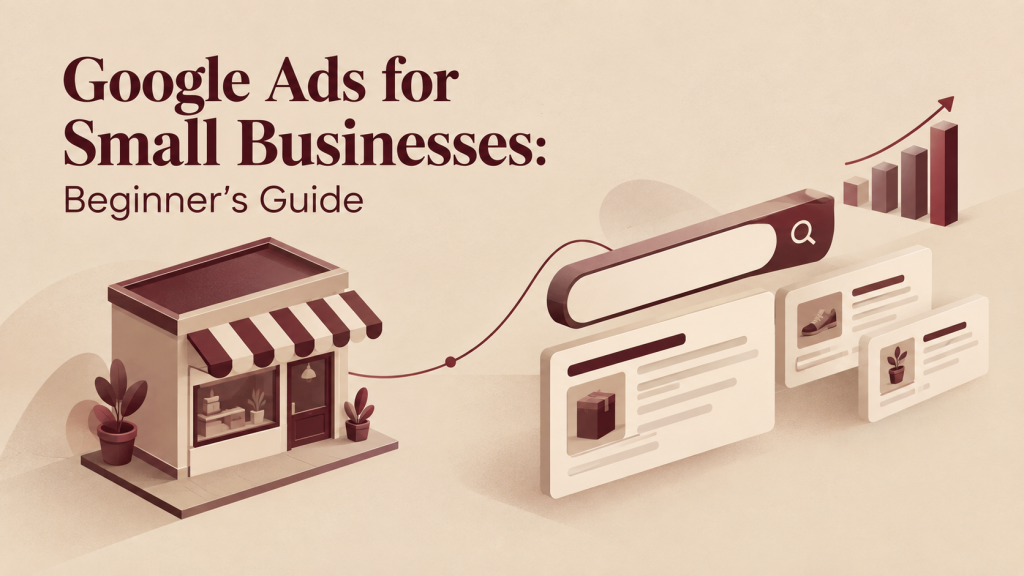
Google Ads for Small Businesses: Beginner’s Guide

Google Ads for Small Businesses: Beginner’s Guide A dental clinic has experienced doctors, a set‑up and fair prices. Yet the phone hardly rings, because people searching for “dentist near me” see the competitor’s clinic first. This is where Google Ads, for businesses becomes useful: Google Ads lets you appear in front of people at the moment they are actively looking for what you sell. Google Ads can also drain a budget quickly if you start without a plan. This guide walks you through the journey: how Google Ads works what Google Ads costs, how to build your first Google Ads campaign, how to track Google Ads results and how to decide whether Google Ads makes sense for your business. What Is Google Ads? Google Ads is Googles way of letting businesses show ads through paid advertising. It allows companies to display their ads on Google Search and across Google platforms and partner websites. This happens based on the businesss targeting options, budget and whether they meet the platforms rules. Most people who are just starting out use PPC, which stands for pay-per-click. With this method you set a budget. Decide which searches your ads should show up for. You usually only pay when someone clicks on your ad not just when it appears. You can find ads in places. They appear in Google Search results Google Maps, YouTube, Gmail and also on websites and apps that’re part of Google’s partner network. For businesses Google Search is often the most valuable spot. That’s because when someone types a search they are already looking for something For example imagine someone searches “dentist near me”. A dental clinic that has a Search ad set up might appear at the top of the results marked as “Sponsored”. If the person clicks it they go to the clinic’s website and book an appointment. The clinic pays for that click. The booking counts as a conversion. Every Google Ads account works, in the basic way. It has a key parts: Account: This holds your billing details and overall settings. Campaign: This is where you set your budget decide where you want to advertise and choose your advertising goal. Ad group: This groups together keywords that are closely related, like ” implants” or “cavity treatment”. Ads: These are the headlines and descriptions that people see when they view your ad. How Does Google Ads Work? Google Ads operates through an auction that happens every time someone searches on Google. Here’s how it works: A user types a search on Google. Google looks for ads that match the search using keywords and targeting. Eligible advertisers join the auction. Google checks each ad that’s eligible. Ads are ranked based on Ad Rank. The top ads are displayed. The user clicks on one. The advertiser pays for that click. The user goes to the website or landing page. A conversion like a call form submission or purchase might follow. The key point is step 5. The highest bidder doesn’t always win. Ad Rank depends on things: Your bid: the highest amount you are willing to pay for a click. Ad quality: how likely people are to click, how relevant your ad is and how good your landing page experience is. Ad. Formats: the effect of extra features like call buttons, sitelinks or images. Context of the search: the device, the location, the time and the actual search query. That’s why a smaller advertiser with a relevant ad can sometimes beat a larger competitor.. Often they pay less, per click than the maximum bid they set. Types of Google Ads Campaigns Google Ads provides a number of campaign types. The names and choices can change. Check the details, in your Google Ads account or in the official Google Ads Help Center. Google Search Ads for Beginners Google Search Ads are text ads that appear when someone searches for a keyword that you have chosen. They work well for businesses because the person is actively looking for something. A Search ad has these parts: Search query: what the person actually types into the search box. Keyword: the phrase that you have selected in your account. Ad group: a collection of keywords and ads. Descriptions: the message that people see. Landing page: the page that the person lands on after clicking. Call to action: what you want the person to do such as “Call or “Book a slot”. Realistic example, a local AC repair service: Ad group: “AC repair” Keywords: “ac repair near me” “ac repair service [city]” Headline: “AC Repair in [City] | Day Visit” Description: “Certified technicians, transparent pricing, all major brands. Call to book a visit.” Landing page: an AC-repair page, with a phone number, a form and service areas. One tight ad group, one message, one matching page. That match is what makes Search ads work. Understanding Google Ads Keywords Keywords are the words and phrases you choose so Google knows when to show your ads. The important skill is understanding search intent—the reason someone is searching for something. It’s not about the words. It’s about what the person wants when they type those words into the search bar. You have to think like a searcher. Why are they looking? What are they hoping to find? Are they ready to buy?. Just looking for information? Getting this right makes all the difference. Keyword match types Broad match: This gives you the reach. Google may show your ad for searches that are related to your keyword, not the exact words. It works best when you have conversion data and you’re closely watching performance. Phrase match: Your ad can appear when the search includes the meaning of your keyword with words before or after it. Exact match: This is the precise type. It shows your ad only when the search has the meaning as your keyword. Negative keywords keywords tell Google which searches you don’t want your ad to show for. They are one of the ways to stop wasting

Uncategorized

How to Create an SEO Strategy for Your Business

How to Create an SEO Strategy for Your Business Publishing a blog posts and adding some keywords here and there is not an SEO strategy. It is a hope. Real SEO success comes from a system. Every part supports the part: Business Goals → Audience → Search Intent → Keywords → Content → Technical SEO → Authority → Measurement If one part is missing the whole system becomes weaker. Excellent content on a website that Google cannot crawl will not rank. A fast clean website with content that no one is searching for will not bring any leads. This guide shows you how to build an SEO strategy for your business step by step. It covers the SEO principles, plus how to get ready, for answer engines (AEO) and generative search (GEO). You will know what to do why it is important how to do it and how to check if it is working. What Is an SEO Strategy? An SEO strategy is a documented plan that shows how your business can get seen by search engines. The plan is built around your goals, your audience and the words people really search. The plan covers which topics you will target the content you will create the changes you will make to your website, the ways you will build trust and the methods you will use to measure results. The key word is plan. Random SEO activity looks like this: fixing a title tag one week writing a blog post the next buying a links after that. A plan makes every action serve a goal. Practical example: A plumbing company wants emergency-call leads. Random SEO would be writing a post titled “10 Fun Facts About Pipes.” A plan would target searches such as “emergency plumber near me” and “burst pipe repair cost.” The plan would build service pages, for each search strengthen the Google Business Profile, collect reviews and track calls that come from search. Why Does Your Business Need an SEO Strategy? Your business needs an SEO strategy because people look for businesses through search engines and having a plan helps you appear at the times with the right content. Without a strategy you risk wasting time and money on efforts that don’t build over time. Here’s what a strong SEO strategy can help you achieve: Organic visibility:-  being seen when people search for what you offer traffic:-  attracting visitors who truly need your product or service Brand discovery:-  letting people find your business before they even know your name Lead generation and customer acquisition:-  getting more inquiries calls, form submissions and sales Long-term growth:-  a single page you publish today can keep driving results for years if it stays updated Better user experience:-  faster loading, clearer content and easier navigation across your site Competitive advantage:-  dominating topics that your competitors overlook One important truth: no one can guarantee rankings or revenue. Search results depend on how competitive thingsre the quality of your website and updates, from search engines. A solid strategy improves your chances. Lets you track real progress. It doesn’t promise results— better odds and measurable steps forward. Step 1: Define Your SEO Goals Begin by turning your business goals into measurable SEO goals. Saying “get traffic” doesn’t help much. If that traffic doesn’t turn into customers it won’t bring in money. Here are some common SEO goals: Increase traffic to key pages Generate more qualified leads Increase product visibility Improve rankings, for commercial keywords Increase local visibility Increase organic conversions These goals are specific and useful. They help you track progress and see what’s working. Step 2: Understand Your Target Audience Understanding your target audience means knowing who buys from you what problems your target audience has and what your target audience types, into search when your target audience needs help. Keyword tools show you what people search. Customer research shows you why. Build a profile: Ideal customer: who your target audience is, their role, their location Pain points: what frustrates or worries your target audience Search behavior: short keywords, full questions, voice queries comparison searches Questions they ask: sales calls, emails, reviews and support tickets are gold mines Then map their buying journey: Many beginners only write awareness content. Most leads come from consideration and decision pages. Therefore beginners should cover all three types of pages. Step 3: Analyze Your Competitors An SEO competitor analysis shows you which keywords, pages and topics your rivals rank for and where they are weak. Your SEO competitors aren’t always your business competitors. They are any sites that appear for the searches you want. How to do it: Search your 5 to 10 target keywords and note who ranks. Open the pages. What do they cover? What do they miss? Use an SEO tool to see their keywords and top pages. Check their backlink profiles for patterns. Note their site structure, content depth and freshness. Look at who appears in featured snippets, local packs and AI-generated answers. Step 4: Conduct Keyword Research Keyword research is the process of finding the words and questions that your customers use then selecting the ones that fit your business goals the best. Search volume is one part of the picture. Types of keywords Seed keywords: these are broad starting terms (“dentist” “CRM software”) Keywords: these are the main target words for a page Secondary keywords: these are related terms that support the page Long-tail keywords: these are longer and more specific phrases (“teeth whitening for sensitive teeth”) Informational: “what is technical SEO” Commercial: “best SEO tools for small business” Transactional: “buy running shoes online” Local: “accountant, in Leeds” Question-based: “how long does SEO take” How to evaluate them: Step 5: Connect Keywords to What People Are Looking For What people want when they search is called search intent. Making sure your page matches what they are looking for is the important choice you will make on your page. If someone is looking for a comparison and you show a sales page they will

Uncategorized

SEO Forecasting: How Businesses Can Plan Growth

SEO Forecasting: How Businesses Can Plan Growth Many companies spend money on SEO without understanding what they are actually purchasing. They say they want organic traffic yet they cannot specify how much traffic, when it will arrive or how much it will cost. SEO forecasting addresses this gap, by turning hope into a plan that relies on data. SEO forecasting is not a crystal ball. Instead it draws on performance, search demand, keyword information, seasonal patterns and business assumptions to create realistic scenarios that show where organic traffic, leads and revenue might move. What Is SEO Forecasting? SEO forecasting is the process of estimating organic search performance. Such, as traffic, rankings, leads and revenue. Using historical data, keyword trends competitive analysis and planned SEO activities. SEO forecasting helps teams plan their SEO strategies. It brings together different pieces of information: Historical organic performance Search demand and keyword trends Current keyword rankings Click-through rate (CTR) patterns Conversion rates Seasonality Competitive landscape Planned content and technical SEO work Business goals Why SEO Forecasting Matters for Business Growth A good forecast helps businesses: Set SEO goals instead of random targets Plan marketing budgets with more confidence Prioritize which keywords and pages to invest in Estimate potential ROI before committing resources Compare different growth scenarios side by side Align SEO activity, with actual business objectives Example: A local HVAC company forecasts that ranking on page one for 15 high-intent local keywords could generate an additional 400 organic visits a month translating into roughly 20 extra service leads. That number helps them decide whether the SEO investment makes sense before they spend a rupee. How Does SEO Forecasting Work?  Gather SEO data-  Traffic, rankings, conversions  Spot keyword chances for SEO-  Gaps, fresh topics competitor words  Check search demand for SEO-  How many people look, which way trends go  Look at current SEO rankings-  See where you are now  Guess SEO ranking gains-  Based on effort planned Project SEO organic traffic-  Using click‑through curves  Predict SEO conversions and leads-  Using past conversion rates  Adjust for SEO seasonality-  Change, for known highs and lows  Include competition and SERP shifts for SEO  Create several SEO growth plans  Watch real SEO performance Refresh the SEO forecast often This is a cycle, not a single report. SEO Forecasting Models 1. Historical Trend Forecasting-  Looks at performance to predict future results; works well for sites that have been around for a while and are stable. 2. Keyword-Based Forecasting-  Makes predictions one keyword at a time; great when starting content or launching campaigns. 3. CTR-Based Forecasting-  Guesses how many clicks a page might get based on where it ranks and average click-through rates. 4. Scenario-Based Forecasting-  Considers possible futures: a worst-case, a middle path and a best-case outcome. 5. Opportunity-Based Forecasting-  Begins with what’s missing. Like gaps in content or keywords.. Estimates how much traffic or growth could come from filling those gaps. 6. Traffic-to-Revenue Forecasting-  Links traffic numbers directly, to business income showing how visitors might turn into sales. Each method has its limits. No single method can capture every factor that affects results. That’s why most agencies combine two or three of these methods to get a picture. How to Forecast Organic Traffic The main connection looks like this: Search Demand → Rankings → Impressions → CTR → Clicks → Traffic → Conversions → Revenue Basic calculation formulas: Estimated Organic Clicks = Search Impressions × Estimated CTR Estimated Leads = Organic Traffic × Conversion Rate Estimated Revenue = Leads × Lead-to-Customer Rate × Average Customer Value These are estimates, not promises. Real results depend on how well things are done changes, in rules and whats happening in the market. Common SEO Forecasting Mistakes I think treating forecasts as guarantees can be risky. I think ignoring seasonality can lead to plans. I think relying on search volume can miss deeper insights. I think ignoring search intent can hurt relevance. I think ignoring conversion rates can hide performance. I think overestimating ranking speed can set expectations. I think ignoring competitors can leave you blind, to market shifts. I think ignoring SERP feature changes can cost visibility. I think using quality historical data can mislead decisions. I think never updating the forecast can keep you stuck. I think ignoring business-level KPIs can disconnect strategy from results. I think focusing on traffic of revenue can misdirect priorities. F.A.Q. Why is SEO forecasting important? It helps businesses set goals, allocate budget and prioritize SEO work based on expected impact. This approach makes sure that every effort counts and that resources are used where they will make the difference. How do you forecast SEO traffic? By combining search demand expected rankings and CTR estimates, I project clicks. The combination of search demand expected rankings and CTR estimates helps me see how many clicks will happen in the future. What tools are used for SEO forecasting? Google Search Console, Analytics, keyword tools, rank trackers and forecasting models. These are the tools that people use to keep track of their website performance. Google Search Console helps with website health and indexing. Analytics gives information about website traffic. Keyword tools help find the words to use. Rank trackers show how well a website is doing in search results. Forecasting models predict performance. All of these tools are important, for anyone who wants to improve their website. Can AI help with SEO forecasting? Yes. These tools are useful, for trend analysis and pattern detection. Human validation is still required for trend analysis and pattern detection. Is SEO forecasting useful for small businesses? Yes. It helps small businesses focus their resources on the opportunities that will make the biggest difference.

Uncategorized

Social Media Content Automation: Benefits and Limitations

Social Media Content Automation: Benefits and Limitations If you run a business page on Instagram, LinkedIn and Facebook at the time you already know the problem: writing captions, resizing images checking comments and tracking performance takes hours every week. Many teams start looking into automation the moment they realize that manual posting isn’t sustainable at scale. Automation can genuinely help here.. Its not a magic fix. Tools can schedule your posts. Track your numbers but they can’t build your brand voice read the room during a sensitive news cycle or have a real conversation, with a customer. Understanding where automation earns its keep and where it quietly causes damage is the skill. This article walks through what social media content automation is, how it works, its genuine benefits and real limitations what to automate versus what to keep human and how to build a workflow that uses both well. What Is Social Media Content Automation? Social media content automation means using software to manage social media jobs. These jobs include scheduling posts publishing them and checking reports. Of doing each task by hand every time the software takes care of it all. This saves time. Makes things run smoother. At its core automation replaces manual steps with rules and triggers. Of logging into five platforms every morning to post the same update a business can set up content in advance and let software publish it at the scheduled times. Automation typically covers:  Scheduling and publishing posts across multiple platforms  Recycling. Repurposing existing content  Auto‑responding to common simple messages  Generating basic performance reports  Sending reminders for content calendar deadlines I find it useful to separate scheduling, from broader automation. Scheduling is just picking a time for a post to go live. Automation is a system—automation can include scheduling but also rules‑based responses, content recycling and reporting that runs without daily manual input. Social Media Scheduling vs. Social Media Automation Benefits of Social Media Content Automation Saves Time Posting to many platforms every day takes a lot of time. Using automation allows a team to create content at once each week or month and then let the system take care of publishing. A local business owner who used to spend an hour each day posting can often reduce that to a few hours each week. Improves Posting Consistency People like brands that’re always there. Automation makes sure posts go out even if someone is busy or away. This keeps the account active during times when the businesss not very busy. Helps Maintain a Content Calendar When content is planned ahead it is easier to see where there are spots plan around special days or new products and make sure the messages fit with the overall marketing plan instead of posting without thinking. Reduces Work Tasks like sharing the same promotion on five different platforms or changing the size of a picture for each one are boring but needed. Automation tools handle the formatting and sending so workers can focus on planning and creating ideas. Supports Multi-Platform Publishing One piece of content. Like a product announcement. Often needs to go to Instagram, Facebook, LinkedIn and X all at the same time. Automation tools send content to all these places from one screen, which saves a lot of repeated work. Makes Campaign Planning Easier For a product or a special sale automation lets the whole series of posts be made in advance and scheduled to go out on time. This way the campaign runs smoothly even if the team is busy with things during the launch week. Helps Teams Collaborate Many automation tools have shared calendars, approval steps and places to leave comments. This makes it easier for marketing, design and managers to work together without having to send lots of emails. Improves Workflow Efficiency Of seeing each post as something different automation makes social media management into a process that can be done over and over again. This includes writing, checking, setting a time sending and looking at results. This helps avoid confusion and missing steps. Supports Performance Tracking Automated reports collect information, like how many people saw the post how much they liked it and how many clicked on it. This data is gathered in one place on a basis so teams don’t have to go to each platform to get it. Helps Businesses Scale Their Content Operations As a company grows and needs to handle platforms more places or more campaigns automation makes it possible to keep up with the work without hiring more people just to do the same old tasks over and over. Limitations of Social Media Content Automation Risk of Losing Authenticity Audiences can often tell when content feels mass-produced. If every post follows the template with no variation in tone followers may disengage. They sense that no real person is behind the account. That lack of authenticity can make the brand feel distant or even fake. 2. Automated Content Can Become Recycling the same content across platforms without adjustment. Like using an Instagram caption verbatim on LinkedIn. Can feel out of place. Each platform has audience expectations and norms. What works on one may fall flat on another. Repetition without adaptation makes the content feel lazy. 3. Poor Timing During Events A scheduled promotional post that goes live during a local emergency a tragic news event or a company crisis can look tone-deaf. Automation doesn’t know when the world has changed around it. It needs monitoring to pause queues when necessary. Missing this can damage trust and reputation quickly. 4. Automation Cannot Replace Genuine Community Management Responding to comments resolving customer complaints and building rapport requires reading tone, context and intent. Automated replies handle the most basic predictable queries. Anything complex. Like a frustrated customer or a nuanced question. Often gets a response that feels robotic and unsympathetic. 5. Context Can Be Misunderstood Auto-reply systems that rely on keyword matching can misinterpret sarcasm complaints disguised as compliments or nuanced questions. A comment like ” job you

Scroll to Top